
Python for C++ Programmers
Chapter 8: Object-oriented programming
Class constructors
Python implements some of OOP features differently from C++.
Let’s start by printing out a message when the Person object is being created. You will need to define a special __init__() method inside the class to do this.
1 2 3 4 5 6 | |
When you run the program, it should output I created a person! It's alive!, and then <__main__.Person object at 0x7fe70c878c10>.
In Python, the __init__() method acts as the class constructor. The double underscores on both sides is a Python convention that indicates that this is a magic method that does special things. They are called magic or dunder methods (dunder == double underscores). We will see more of these later.
When you create a class instance (Line 5), Python will create a new object (of type Person) in the memory heap, and execute the __init__() method. In the __init__() method, you can customise what happens after the object has been created.
self (in Line 2) refers to the Person object that has just been created. The first parameter of __init__() should always be self. This is so that you can manipulate this self object inside the method. self is similar to the this pointer in C++.
Behind the scenes
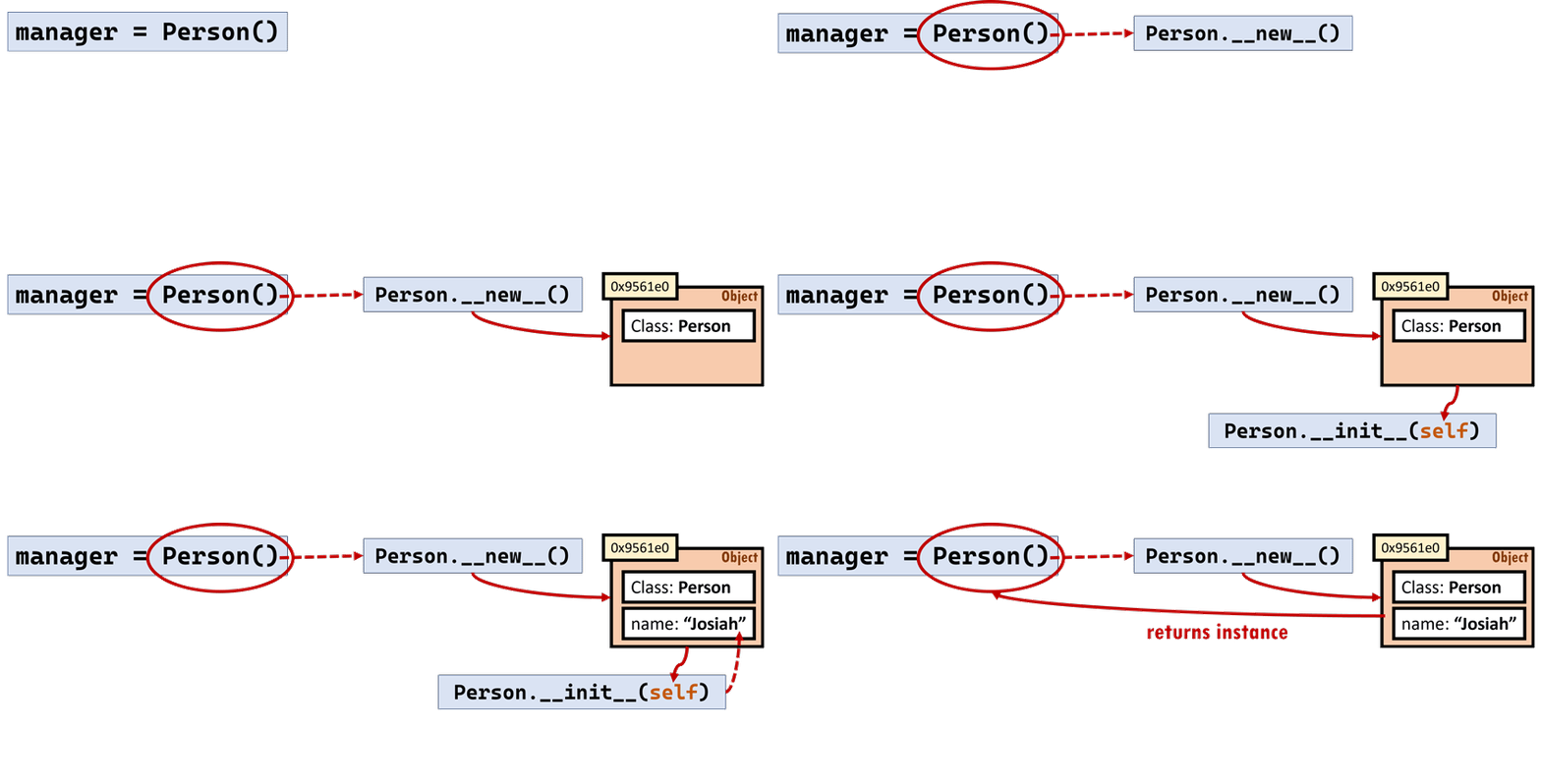
What actually happens in the background when you say Person() in Line 5 is that Python will first call Person.__new__() (another magic method that you can but should not mess with), which will allocate some space in memory for the new (empty) object.
Python then calls Person.__init__(self). You can do anything here, but you would typically add attributes to the object (we will do this in the next page; this is actually what self is partly for!)
Finally, Python will return this new object that has been created to the caller.
There is already a default implementation for the __init__() method, which is why the code from the previous page worked even without having to define it. Most of the time though, you will want to write your own __init__() method. Let’s do that properly in the next page!